-
This is the steps for updating your 907 theme from version below 4.0 to the new 4.0. I’ll work on getting a video tutorial for this very soon.
WARNING: Before you begin you should backup your site, you can use a backup plugin such as Duplicator to backup your site. You can copy your site to a testing area such as localhost or a dev folder so you can make any changes prior to making it a live site.
STEP 1:
Upload the new 4.0 version of the theme, replacing your current theme version and activate the theme.
STEP 2:
Activate the required plugins, especially the wbc907-core plugin as this will have the updater process in it, and you’ll need the Regenerate Thumbnails. Once activated you’ll be presented with the message to run updater (see image below).
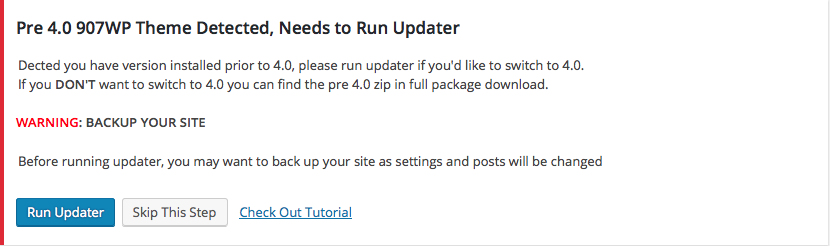
Click Run Updater if you’d like to update your site to current structure, after this process runs your site should function like before.All your settings that are depreciated will be in the Theme Options > Depreciated Options tab which is where you’ll find your header settings, social, etc.
While you have Theme Compatibility Mode Enabled your site will use these settings, once disabled this settings will not be used or displayed.
This will make it easier to give you time to convert your Page Sections, Parallax Sections, and shortcodes to the new setup using page builder.
STEP 3:
Once the import process is complete, make sure to regenerate thumbnails using the Regenerate Thumbnails plugin.
Depreciated Post Types
– Page Sections Use Page builder on pages, posts, etc instead
– Parallax Sections Use Page builder on pages, posts, etc instead
– Recent Works Use Portfolio with new categories option
– Team Use Page Builder team element
Depreciated Shortcodes
While in “Theme Compatibility Mode” all previous shortcodes should work as before, but for current shortcodes use the ones in Visual Composer under “907 Additions” as these are the current shortcodes.
—
If you have any questions, issues or concerns let me know below.

-
Theme support is offered to verified customers by forum only. Information on how to register Here.
Forum List
